
When your monitoring app shows “low production,” it’s easy to assume something is broken. But solar output naturally changes with weather, seasons, and temperature. This guide explains the most common causes and gives you safe checks you can do without opening electrical equipment or climbing on the roof.
Who this is for
- You already have solar and want to understand production drops
- You want a safe checklist before calling an installer
- You want to know what’s normal vs what’s a real problem
Before you troubleshoot: make sure you’re comparing the right numbers
- Compare similar conditions:
- cloudy day vs cloudy day (not cloudy vs perfect sun)
- this week vs the same season last year (if you have data)
- Look at daily energy (kWh), not only peak power (kW).
If you’re new to these terms: https://solarbasicshub.com/kw-vs-kwh-solar/
Safety first (stop and call a professional)
If you notice any of these, stop and contact a qualified installer/electrician:
- burning smell, smoke, or visible melting
- buzzing/arcing sounds
- repeated breaker trips
- water intrusion near electrical equipment
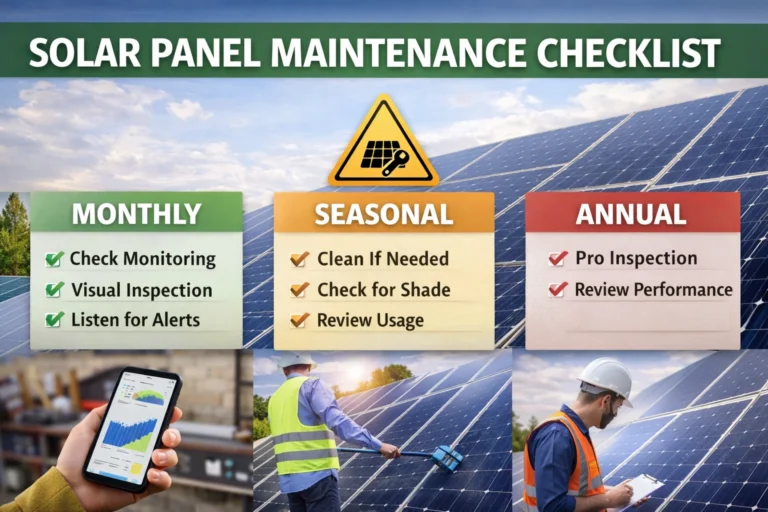
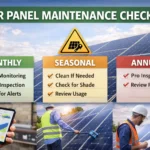
Related maintenance routine: https://solarbasicshub.com/solar-panel-maintenance-checklist/
12 common causes of low production (with safe checks)
1) Cloudy weather or haze
What happens: less sunlight reaches the panels.
Safe check: compare today to another cloudy day in your history.
2) Seasonal changes (shorter days)
What happens: winter days are shorter and the sun angle is lower.
Safe check: compare month-to-month or year-over-year.
3) High heat
What happens: panels lose efficiency as they get hotter.
Safe check: hot days can show lower output even with full sun.
4) New shading (trees, new buildings, roof objects)
What happens: shade blocks sunlight. Even partial shade can reduce output a lot.
Safe check: from the ground, look for shade on panels at the time the drop happens.
5) Dirt, dust, pollen, or bird droppings
What happens: soiling blocks light.
Safe check: from the ground, look for obvious buildup, streaks, or a few heavily soiled spots.
6) Snow (if applicable)
What happens: snow cover blocks light.
Safe check: visual check.
7) Monitoring/communication issue (system is producing, app is wrong)
What happens: Wi-Fi or gateway issues can show “missing” production data.
Safe check: confirm the system/gateway status shows online and the app date/time is correct.
8) Inverter clipping (often normal)
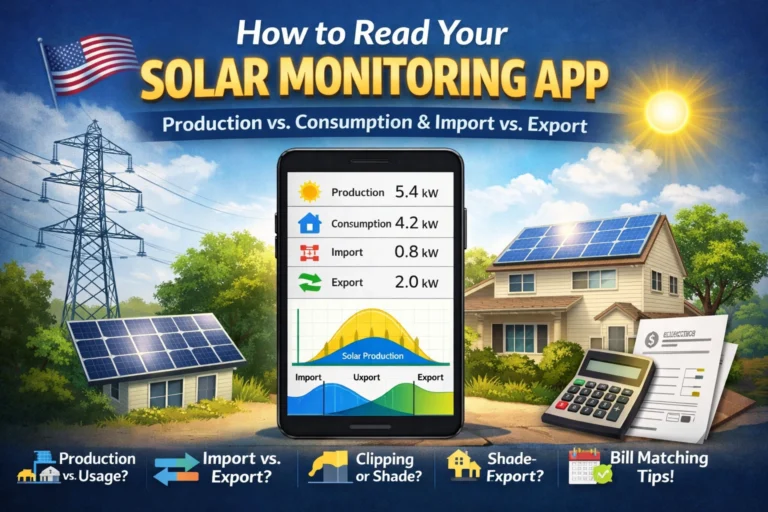
What happens: the inverter caps AC output at its maximum. On a clear day, your graph can look “flat” at the top around midday.
Safe check: look for a midday plateau on sunny days.
Learn more: https://solarbasicshub.com/string-inverter-vs-microinverter/
9) Grid outage or grid voltage issue (grid-tied systems)
What happens: many grid-tied systems reduce output or shut down during grid problems for safety.
Safe check: check whether your neighborhood had an outage or voltage event.
10) Tripped breaker or disconnect (don’t repeatedly reset)
What happens: protection devices can shut the system down.
Safe check: if you see a clearly tripped breaker once, you can note it—but if it trips again, stop and call a pro.
11) Partial system issue (one string, one section, or one microinverter)
What happens: production drops by a consistent percentage (for example 20–50%) on clear days.
Safe check: compare to a recent clear day; if the drop persists for multiple clear days, schedule service.
12) Normal long-term degradation (slow, not sudden)
What happens: panels slowly lose a small amount of output over many years.
Safe check: gradual year-over-year decline can be normal; sudden drops are not.
Quick diagnosis table (fast)
Sudden drop on a clear day: likely new shade, dirty panels, partial failure, breaker trip → check shade, visual inspection, app status, note any errors
Flat “plateau” at midday: likely inverter clipping → compare multiple sunny days; confirm inverter size/design
Lower output for weeks in winter: likely seasonal change → compare to last winter; check for new shade
App shows “offline”: likely monitoring/Wi-Fi issue → check router connection, gateway status
Output is zero on a clear day: likely inverter fault, breaker/disconnect, grid issue → check app for errors; call a pro if it persists
A 2-minute troubleshooting flow
- Is it cloudy/hazy/seasonal? If yes, compare to similar days.
- Is the drop sudden and large on a clear day? Check shading, soiling, and monitoring status.
- Do you see errors or “offline” status? If it lasts more than a day on clear weather, schedule service.
- Any safety red flags? Stop and call a professional immediately.
What to track (so a technician can diagnose faster)
- date/time of the issue
- weather conditions
- screenshot of the production curve
- any warning/error codes
- whether output is zero or just reduced
Do / Don’t (safety)
Do: use your monitoring app and compare similar days; inspect from the ground; document error codes and patterns.
Don’t: open electrical enclosures; climb the roof without training/safety gear; repeatedly reset a breaker that keeps tripping.
When to consult a professional
Call a qualified installer/electrician if:
- production is zero on a clear day
- you see repeated faults or shutdowns
- output is consistently down across multiple clear days
- you suspect overheating, wiring damage, or water intrusion
Quick recap
Most “low production” situations come from weather, season, heat, shading, or monitoring issues. Sudden and persistent drops on clear days deserve attention—start with safe checks and escalate to a professional if the pattern continues.