
Quick answer (60 seconds): why you still get billed after going solar
If your home is grid-tied (most US solar homes are), you can still receive a monthly bill because:
- You’re still connected to the grid (you import power at night and when loads exceed solar).
- Solar credits often offset energy charges, but not every line item.
- Some programs include charges that remain even if your net energy is low—like fixed customer charges, minimum bills, or non-bypassable charges in certain territories/programs.
If you want the long version, keep reading. If you just want to fix confusion fast, jump to “Diagnose your bill in 5 minutes.”
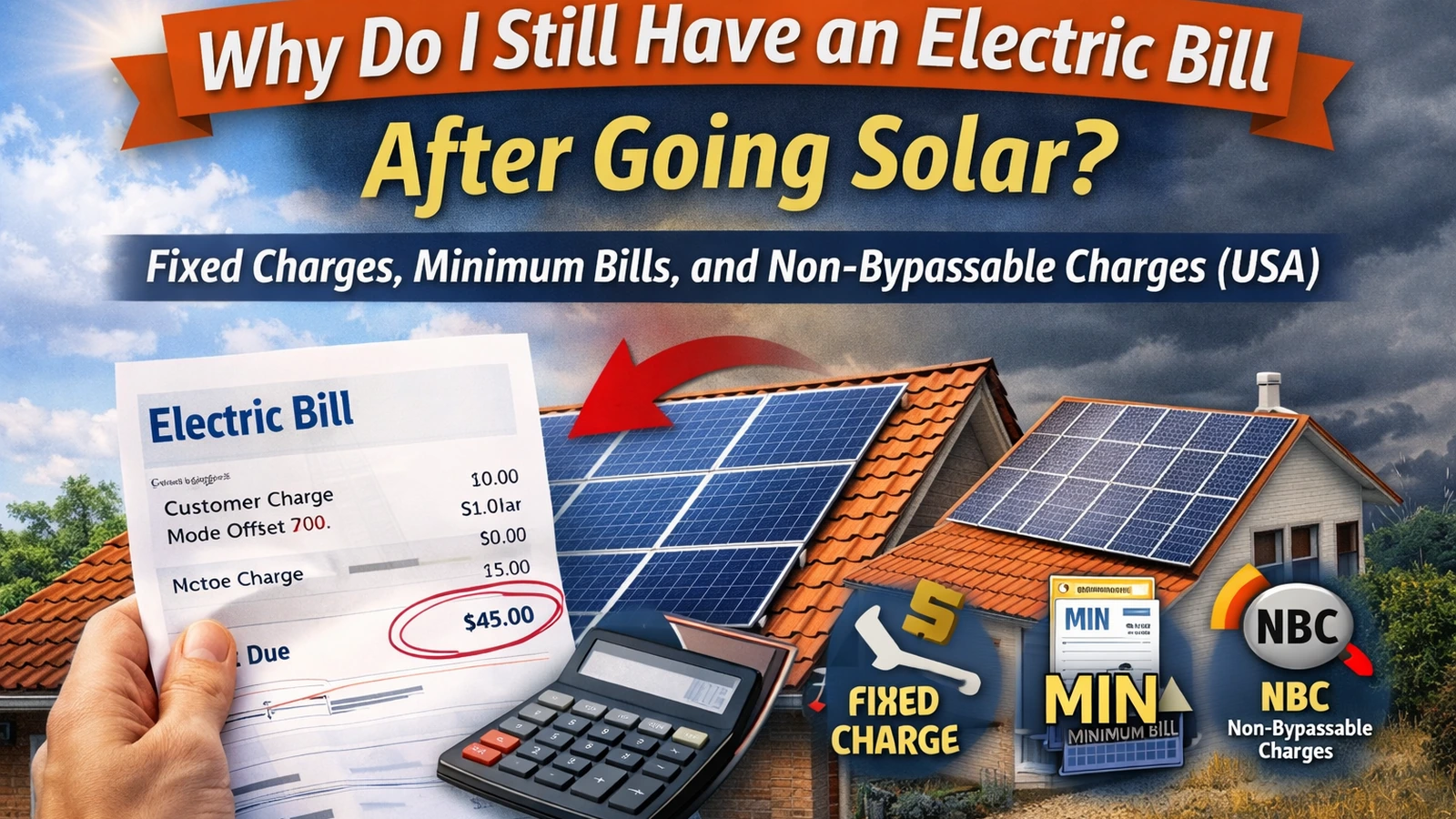
The 3 “charges solar usually can’t erase” (know these first)
Think of your electric bill as two big buckets:
- Energy (kWh-based) charges: these are the lines solar most directly offsets.
- Everything else: fees that may remain even if solar production is strong.
Here are the three “everything else” categories that cause the most surprise.
1) Fixed customer/service charges (monthly fees)
These are flat fees for being a customer (meter, billing, grid connection). You’ll see names like:
- customer charge
- basic service fee
- meter charge
- connection fee
Many “why do I still have a bill?” situations are simply this. Source: GreenLancer (utility bill after solar overview).
What it looks like: a dollar amount that repeats every month even when your net kWh is low.
2) Minimum bill rules
A minimum bill is a required floor amount you pay even if your solar credits are high. Solar may reduce your energy charges, but if the program includes a minimum, you still pay it.
SolarBasicsHub notes minimum bills are a common “why do I still have a bill?” moment. Source: SolarBasicsHub bill-reading guide.
What it looks like: “minimum bill,” “minimum charge,” or a floor amount that replaces what would have been a small bill.
3) Non-bypassable charges (NBCs) in some territories (program-specific)
Non-bypassable charges are line items that net metering credits cannot fully offset (exact structure varies by program and state). Regulators often describe them as system-benefit/public-purpose type charges applied to imports. Source: CPUC (NEM/net billing program context).
Important: NBCs are not universal everywhere in the same way—treat them as program-specific. If your bill includes “non-bypassable” or similar wording, this is often why the bill doesn’t go to zero even with credits. Source: SCE (understanding NEM bill).
Diagnose your bill in 5 minutes (no math heavy lifting)
This fast “debug” workflow works across most US utilities.
Step 1) Match the billing dates (bill vs monitoring app)
If your monitoring app shows one date range and your utility bill uses another, your comparison will be wrong.
Do this first: read the bill start/end dates, then set your monitoring portal to the same dates. Source: SolarBasicsHub monitoring app guide.
Step 2) Find imports, exports, and “net usage”
On many solar bills, you’ll see some version of:
- imports (energy delivered to you)
- exports (energy received from you)
- net usage (imports − exports)
Labels vary (forward/reverse kWh, register numbers, etc.). Source: SolarBasicsHub bill-reading guide.
Step 3) Circle the fees that stay
Scan the charges section and circle anything that:
- repeats each month (fixed fees), or
- is labeled minimum bill/charge, or
- is labeled non-bypassable / delivery / system benefit / similar.
If those lines alone add up to (for example) $20–$40/month, your bill likely can’t go below that without different program rules.
Step 4) Check TOU timing (midday exports vs evening imports)
Even if your monthly net kWh looks good, TOU can still produce charges if you export at low-value times but import during expensive peak hours. Source: SolarBasicsHub TOU guide.
Step 5) Check true-up / carry-forward behavior
If your utility uses true-up (often annual settlement), your monthly bill can show small charges while credits carry forward, then everything reconciles at true-up. Source: PG&E solar billing/true-up explanation + SolarBasicsHub true-up guide.
7 common reasons your solar bill is still high (ranked by frequency)
1) Fixed charges or a minimum bill (most common)
If your bill shows a repeating customer/meter fee or a minimum bill, that’s the base you’ll likely keep paying. Source: GreenLancer.
What to do: confirm whether the fee is fixed, and whether any program changes (rate plan changes) would alter it.
2) Your export credits are worth less than your import charges (net billing / low export value)
Under many “net billing” structures, exports can be credited at a different (often lower) rate than imports. That shifts value toward self-consumption (using solar in the home). Source: SolarBasicsHub net metering vs net billing guide.
What to do (safe): increase self-consumption with scheduling (laundry/dishwasher midday), EV charging during solar hours, etc. (No electrical DIY.)
3) TOU timing mismatch (you import during peak)
If your highest-priced hours are late afternoon/evening, solar output may be dropping right when prices peak. Source: SolarBasicsHub TOU guide.
What to do (safe): shift flexible loads earlier; consider batteries only after you model economics.
4) Your usage increased after solar (EV, heat pump, AC, lifestyle changes)
Many systems are designed to offset a historical baseline. Adding major loads can push you into net importing again.
What to do: compare your last 3–6 months of kWh to the year before solar.
5) Seasonal swing (winter production / summer cooling)
Winter days are shorter and weather can reduce production—so it’s common to import more in winter. Source: SolarBasicsHub bill-reading basics (seasonality context).
6) Billing-cycle mismatch (you’re comparing different date windows)
Even a 3–5 day mismatch can look like “solar stopped working,” especially across a cloudy week.
What to do: re-run Step 1 and match dates.
7) System underproduction (something is genuinely off)
If production is consistently low versus expectations, start with safe checks:
- look for shading changes, debris, unusual inverter alerts in the app
- compare to similar-weather weeks, not just one day
Then contact your installer/monitoring support. (Avoid rooftop climbing or electrical checks.)
Table: The “why you still have a bill” decoder
| Line item type | Common names on bills | Can solar credits offset it? | What to do next (safe) |
|---|---|---|---|
| Fixed charge | customer charge, basic service fee, meter fee | Usually no | Treat as your “floor” bill; confirm amount and whether it changes by rate plan. Source: GreenLancer. |
| Minimum bill | minimum bill, minimum charge | Usually no (it’s a floor) | Ask utility: “Is this a minimum bill rule? Is it monthly or annual?” Source: SolarBasicsHub bill-reading guide. |
| NBCs / non-bypassable | non-bypassable, delivery, system benefit (varies) | Often not fully (program-specific) | Ask utility what portions are non-bypassable under your program; reduce imports via self-consumption habits. Source: CPUC. |
| TOU energy charges | peak/off-peak energy charges | Sometimes, depends on timing/credit rules | Shift flexible loads; review TOU basics. Source: SolarBasicsHub TOU guide. |
| True-up settlement | annual true-up statement | Credits reconcile on schedule | Learn your true-up date + rollover rules. Source: PG&E true-up explainer. |
What to do next (safe checklist)
If you want a quick, correct next step:
- Confirm your billing window (match app dates to bill dates).
https://solarbasicshub.com/how-to-read-solar-monitoring-app/ - Identify your floor costs: fixed charges + minimum bill lines.
https://solarbasicshub.com/how-to-read-your-electric-bill-for-solar-before-after-going-solar/ - Check credit model: net metering vs net billing (kWh bank vs $ credits).
https://solarbasicshub.com/net-metering-explained-how-solar-credits-work-and-what-net-billing-changes/ - Check TOU timing if applicable.
https://solarbasicshub.com/time-of-use-rates-solar/ - Check true-up rules/date (carry-forward, expiration, settlement).
Source: PG&E solar bill/true-up page.
Who to call (so you don’t get bounced around)
- Utility billing support: questions about fixed fees, minimum bills, NBCs, TOU buckets, true-up calculations.
- Installer: persistent underproduction, hardware alerts, workmanship issues.
- Monitoring support (Enphase/SolarEdge/etc.): portal data gaps, reporting issues, syncing.
When to consult a professional
- If your plan includes TOU or complex credits, ask a qualified solar pro to model savings under your exact tariff.
- If you suspect a system performance issue, contact your installer (don’t climb on the roof or open electrical equipment).
- If you’re considering a battery mainly to reduce bills, have a pro run a tariff-based financial model (batteries help mainly in specific TOU/credit situations).
FAQ
1) Is it normal to still get an electric bill with solar panels?
Yes—most grid-tied homes still pay fixed charges and may import at night or during peaks. Source: GreenLancer.
2) What is a minimum bill with solar?
A minimum bill is a required floor amount you pay even if solar credits are high. Source: SolarBasicsHub bill-reading guide.
3) What are non-bypassable charges (NBCs)?
They’re charges assessed under certain programs that can’t be fully offset by net metering credits (definitions vary by program/state). Source: CPUC.
4) Why is my bill high even though my app shows strong production?
Common causes: billing-cycle mismatch, TOU timing, export credits worth less than imports, fixed fees, or increased usage. Source: SolarBasicsHub monitoring app guide.
5) Do credits carry over month to month?
Depends on the program. Many utilities reconcile credits at true-up; rules differ. Source: PG&E solar billing/true-up explainer.
6) Will a battery eliminate my bill?
Not necessarily. Batteries can reduce expensive imports (TOU) and increase self-consumption, but fixed fees/minimum bills can still remain. Source: SolarBasicsHub TOU guide.
7) When should I worry something is wrong?
If production is consistently far below expectations and you see inverter/monitoring alerts, contact your installer. Avoid DIY electrical troubleshooting.