
Quick answer: what “Backup Reserve” does (and a safe starting setting)
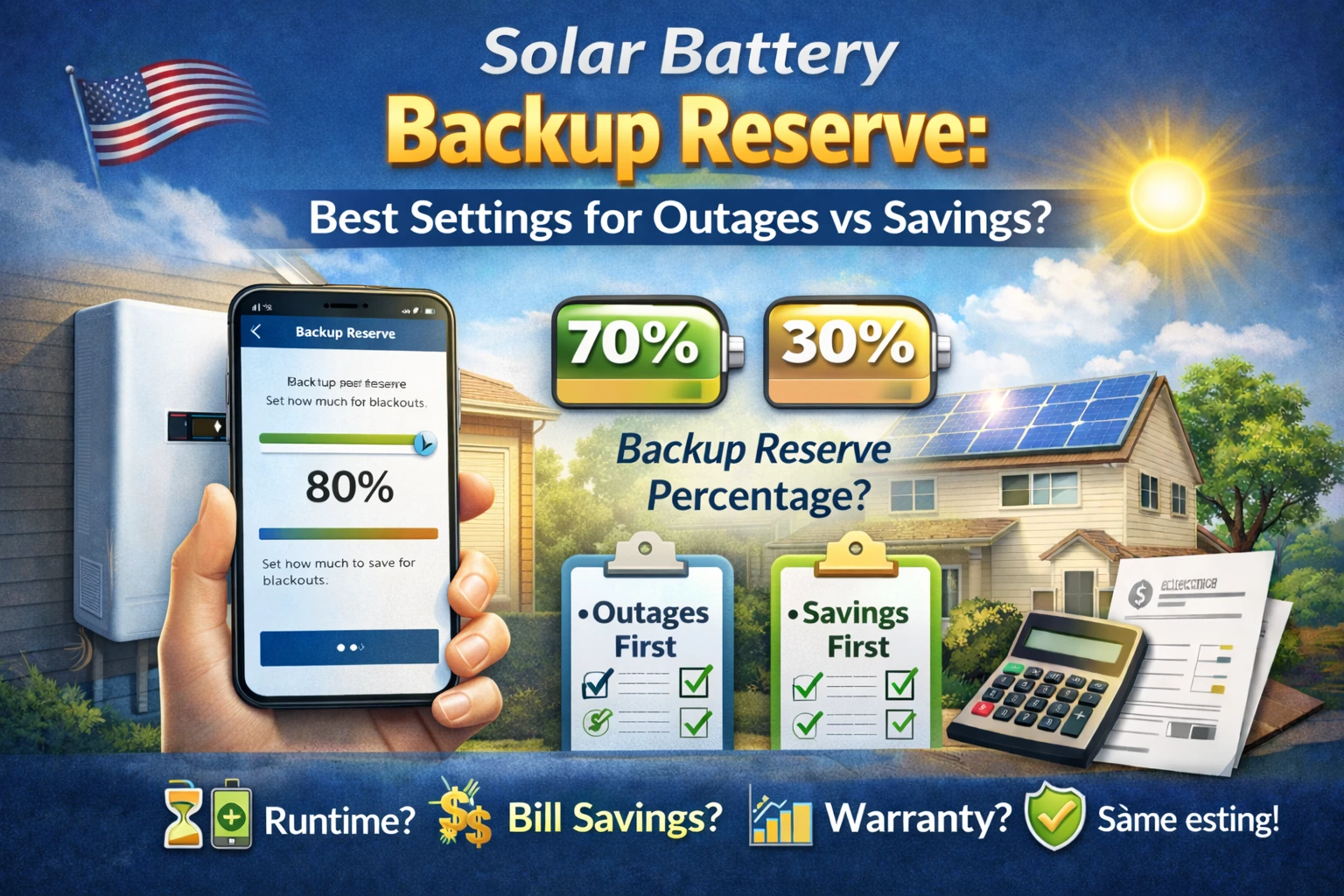
Your solar battery backup reserve is the portion of stored energy your battery keeps in “emergency savings” for a grid outage. The rest can be used for daily goals like self-consumption or time-of-use (TOU) savings.
Safe starting point (most homeowners):
- Outage-first: 30–50% reserve
- Savings-first (reliable grid): 10–30% reserve
- Mixed strategy: 20–40% reserve, adjusted seasonally
Safety note (USA): This article is for planning and settings decisions only—not electrical work. For any panel, subpanel, or transfer equipment changes, use licensed professionals.
What “Backup Reserve / Reserve Capacity” means (plain English)
Tesla: “Backup Reserve” (what it represents)
Tesla explains that Backup Reserve represents a portion of your Powerwall’s stored energy, with the remainder available for normal operating modes. During an outage, that reserved portion becomes available to power your home, and after grid power returns the system prioritizes charging above the reserve before resuming normal behavior. Source: Tesla Support.
Source: Tesla Backup Reserve documentation.
Enphase: “Reserve” (what it represents)
Enphase similarly describes a “Reserve” level that stores energy for backup use, expressed as a percentage of battery capacity. Source: Enphase Support.
Why this matters: two homeowners with the same battery (same nameplate kWh) can experience very different backup runtime and savings depending on their battery reserve setting.
Reserve vs DoD vs usable kWh (don’t mix these up)
These three ideas are related but not the same:
- Reserve = the portion you choose to keep in the battery for outages.
- DoD (Depth of Discharge) = how much of the battery the system allows you to use (to protect battery life and meet warranty specs).
- Usable kWh = what you can realistically plan around after limits and losses.
If you want a deeper DoD explanation (and how it affects usable capacity), read: Solar Battery Depth of Discharge (DoD) Explained.
Simple planning formula (includes reserve)
A safe homeowner planning rule is:
Usable kWh ≈ Nameplate kWh × DoD × (1 − Reserve) × Round-trip efficiency
That’s the same “real-life usable energy” logic SolarBasicsHub uses in its DoD and efficiency guides:
How reserve changes runtime (in one line)
If you keep more energy in reserve, you have less energy available for daily cycling—but more energy available when the outage starts.
To connect runtime to the two numbers that matter (kW and kWh), see: Solar Battery kW vs kWh.
Reserve vs savings: the real tradeoff (self-consumption + TOU)
Reserve affects savings because it determines how deeply you discharge the battery each day.
When a lower reserve helps
- You have a reliable grid and outages are rare.
- Your main goal is self-consumption (using more of your solar at night).
- You’re on a TOU plan and want the battery to cover expensive evening hours.
When a higher reserve is smarter
- You live where outages are common (storms, wildfire PSPS, rural lines).
- You have medical needs, work-from-home requirements, or must protect refrigeration.
- You want “sleep at night” resilience more than maximum savings.
If you’re still deciding whether a battery is worth it for your goals, start with outage basics: Do Solar Panels Work During a Power Outage?
Best reserve settings by goal (decision table)
| Your priority | Recommended reserve range | Why it works | Watch-outs |
|---|---|---|---|
| Outage-first (critical loads) | 30–60% | More guaranteed starting energy when the grid fails | Less daily cycling = potentially lower savings |
| Balanced (backup + savings) | 20–40% | Enough backup for typical short outages + still cycles daily | May need seasonal adjustment |
| Savings-first (rare outages) | 10–30% | More battery capacity available for nightly use / TOU shifting | Outage can start when battery is near reserve |
| High-risk outage season | 40–80% (temporary) | Maximizes resilience when storms/wildfire risk is high | Daily savings likely reduced during that period |
Mini example: why “backup reserve percentage” changes your felt runtime
Suppose you have a 10 kWh battery and your usable factors (DoD and losses) make your practical usable energy around ~6–8 kWh depending on the system. If you set reserve to 50% instead of 20%, you may reduce how much energy is available for daily evening use—but you increase how much energy is guaranteed at the moment an outage begins.
Source: Manufacturer explanations of reserve behavior (Tesla/Enphase) describe reserve as stored energy held back for backup use.
Storm mode / severe weather behavior (what to expect)
Many systems can change behavior when severe weather is expected (for example: charging up to protect backup readiness). The key idea: your battery may prioritize keeping more energy available for outages during storms.
Source: Tesla describes reserve behavior during outages and how the system prioritizes charging above reserve after the outage ends.
Reserve settings and warranty value (why it matters)
Reserve affects how much energy you use daily. More daily cycling can increase battery usage over time; less cycling may reduce daily savings but can align with an outage-first approach.
SolarBasicsHub already explains how battery throughput limits work and why usage patterns matter here: Solar Battery Throughput Warranty Explained.
Practical takeaway: if you’re savings-first and cycle daily, evaluate warranty/throughput value carefully; if you’re backup-first and cycle lightly, throughput may matter less than power capability and outage behavior.
Common mistakes (and quick fixes)
- Mistake: Setting reserve too low and assuming you’ll always have a “full battery” when an outage hits.
Fix: If outages are common, raise reserve during risk season or keep a balanced setting. - Mistake: Confusing reserve with battery size (kWh).
Fix: Learn kW vs kWh first, then use reserve to tune behavior: Battery kW vs kWh. - Mistake: Ignoring losses and thinking “10 kWh” means 10 kWh usable.
Fix: Use DoD + reserve + RTE planning: RTE explained.
Installer questions checklist (copy/paste)
- What reserve level will be set at commissioning (default %) and can I change it later?
- What is the battery’s usable kWh after DoD limits, reserve, and losses?
- What is continuous kW and short-term surge capability (what it can run at once)?
- How will the system behave during an outage (automatic transfer, critical loads, recharge behavior)?
- If I cycle daily for savings, how does that affect expected throughput/warranty value?
- Can you model a “bad week” scenario (winter + clouds) for my critical loads?
For quote comparison structure, use: How to Compare Solar Quotes (Line by Line).
FAQ
1) What is a battery reserve setting?
It’s a user-defined percentage of your battery’s stored energy held back for backup power during a grid outage. Source: Tesla and Enphase support documentation.
2) What reserve percentage should I set?
Start with your goal: 30–50% for outage-first, 10–30% for savings-first, 20–40% for balanced. Adjust seasonally if outages are seasonal.
3) Does reserve change backup runtime?
Yes. Higher reserve increases the minimum energy available when an outage begins, but reduces how much energy the battery uses daily for savings.
4) Is reserve the same as DoD?
No. DoD is a battery usage limit (often chemistry/warranty driven). Reserve is the portion you choose to keep for backup readiness.
5) Does reserve affect my bill savings?
Often yes—especially with TOU and self-consumption use. More reserve means less daily discharge and potentially lower savings.
6) Will my battery go below reserve in an outage?
Some systems can discharge below the reserve during an outage and then prioritize recharging above reserve afterward. Source: Tesla’s reserve behavior documentation.