
The 60-second answer
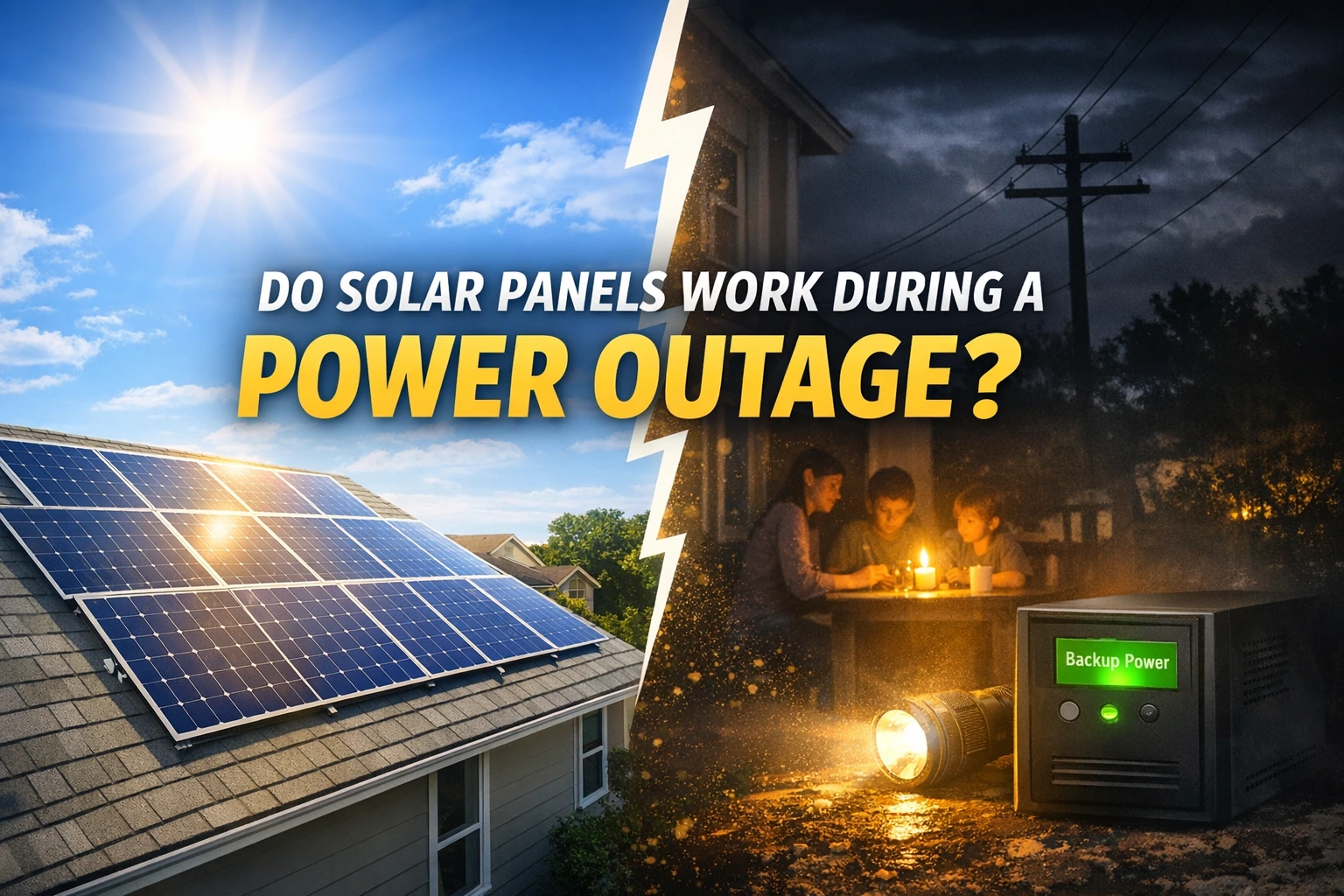
Most standard grid-tied solar systems do NOT power your home during a blackout—even if the sun is shining. That’s because grid-connected inverters are required to shut down when the grid is down (a safety behavior called anti-islanding).
- Grid-tied solar (no battery): usually shuts off during an outage.
- Solar + battery backup (hybrid/backup-capable): can keep selected circuits running (or sometimes whole-home), depending on design.
- Daytime-only / “sunlight backup”: can power limited circuits only while the sun is available (not the same as full backup).
Source: Enphase anti-islanding overview; NREL: Highlights of IEEE 1547-2018
Why most solar shuts off during a blackout (anti-islanding protection)
During an outage, the utility needs power lines to be truly de-energized so crews can work safely. If a solar inverter kept energizing the grid during a blackout, it could create a dangerous “island” of power on lines that are supposed to be off. To prevent this, grid-tied inverters are designed to detect abnormal grid voltage/frequency and stop exporting power.
What “anti-islanding” means in plain English
Your inverter normally synchronizes to the grid’s voltage and frequency (think of the grid as the “reference signal”). If the reference disappears, a standard grid-tied inverter shuts down instead of trying to run a mini-grid by itself.
Source: NREL: Highlights of IEEE 1547-2018; Enphase support article
Why “the sun is shining” still doesn’t mean “my outlets work”
Solar panels produce DC power, while your home uses AC power. The inverter converts DC→AC, but in a typical grid-tied setup it relies on the grid to operate safely. No grid reference = inverter stops = your home circuits don’t receive usable solar power.
Quick refresher: Solar Basics: How Solar Power Works
What happens during an outage (by system type)
1) Grid-tied solar (no battery)
- Typical result: solar shuts off during the outage.
- What you’ll see: monitoring may show zero production or “grid fault/offline.”
- Why: anti-islanding protection.
2) Solar + battery backup (hybrid / backup-capable)
Backup-capable systems can disconnect from the grid and power your home as an “island.” In practice, most homes back up critical loads (refrigerator, lights, Wi-Fi, outlets) rather than the entire home, because it is more affordable and easier to size reliably.
Battery planning basics: Solar Battery kW vs kWh
3) Daytime-only (“sunlight backup” / daytime backup)
Some systems can provide limited backup power only while the sun is available. You typically get a small set of circuits and you should expect variability with clouds and late afternoon sun.
Source: Enphase Sunlight Backup overview
4) Off-grid solar
Off-grid systems are designed around storage, load management, and usually a plan for extended low-sun periods. They can run through outages because they are not dependent on the utility grid—but they are a different design category than typical suburban grid-tied solar.
Table: Does solar work during an outage?
| System type | Will it power outlets during a blackout? | What you can power | Main limitation |
|---|---|---|---|
| Grid-tied (no battery) | No (typically shuts off) | None from solar during outage | Anti-islanding protection required for safety |
| Solar + battery (backup-capable) | Yes (if configured for backup) | Critical loads or whole home (design-dependent) | Runtime depends on usable kWh + your loads |
| Daytime-only / sunlight backup | Sometimes (daytime only) | Selected circuits while sun is available | No night backup; power varies with sunlight |
| Off-grid | Yes | Depends on storage + load management | Higher complexity; designed around batteries |
Backup options (what actually works)
Option A: Battery backup (most “set-and-forget” for outages)
A battery system can keep power on automatically for a subset of circuits. This is the most common path for homeowners who want reliable outage protection without noise or fuel.
- Best for: fridge, lights, Wi-Fi, outlets, medical devices (critical loads)
- Reality check: running central AC, ovens, EV charging, and electric water heaters requires much more power (kW) and energy (kWh).
Useful reading before comparing quotes: Battery Depth of Discharge (DoD) and Battery Round-Trip Efficiency (RTE)
Option B: Daytime-only backup (limited, but can help)
Daytime-only backup can keep select circuits alive during daytime outages. It’s not the same as “normal power” and it generally won’t cover night-time needs without a battery.
Source: Enphase Sunlight Backup overview
Option C: Generator backup (professional install only)
Generators can run longer outages if you have a fuel plan. If you consider a generator, focus on safe, code-compliant installation and never backfeed power into the grid.
- Best for: long outages and/or larger loads
- Limitations: noise, maintenance, fuel storage, and safety requirements
Backup sizing concepts (simple, homeowner-safe)
If you remember one thing: kW decides what you can run; kWh decides how long you can run it.
Start here: kW vs kWh in Solar and Solar Battery kW vs kWh
1) Power (kW): “What can I run at once?”
Your backed-up loads must fit within the system’s continuous kW rating. Some appliances also have short “startup surges” (motors, compressors), which is why backup designs often prioritize essentials.
2) Energy (kWh): “How long will it last?”
A safe planning rule:
- Runtime (hours) ≈ usable battery kWh ÷ average load (kW)
3) Usable capacity is not the label capacity
Many batteries reserve part of their capacity and also lose some energy through charging/discharging. A common planning approach is:
- Usable kWh ≈ Nameplate kWh × DoD × (1 − Reserve) × RTE
Related SolarBasicsHub guides: DoD Explained and RTE Explained
Table: Which backup approach fits your goal?
| Your goal | Best-fit option | Why | Main tradeoff |
|---|---|---|---|
| Keep essentials running (fridge, Wi-Fi, lights) | Battery backup (critical loads) | Quiet, automatic, reliable | Higher upfront cost than “no backup” |
| Some power during daytime outages | Daytime-only / sunlight backup | Can keep select circuits alive in sun | No night backup; variable output |
| Long outages + bigger loads | Generator (professionally installed) | Long runtime with fuel plan | Noise, fuel, maintenance, safety |
| Maximum independence (no grid) | Off-grid design | Designed to run without utility grid | Most complex and often most expensive |
Critical loads: the smartest first step for most homeowners
If your main reason for backup is resilience, start by defining critical loads. This keeps your system affordable and avoids disappointment.
A simple “critical loads” checklist
- Refrigerator/freezer
- Wi-Fi/router + phone charging
- Some lights
- A few outlets for small devices
- Medical equipment (if needed)
If you want a broader system sizing context (panels + inverter + batteries): Solar System Components & Sizing Basics
What to ask installers (copy/paste)
- Outage behavior: “When the grid goes down, what exactly stays powered in my home—and for how long?”
- Critical loads: “Which circuits are backed up? Please list them in writing.”
- Power capability: “What continuous kW and surge kW can the backup deliver?”
- Energy capability: “What is usable kWh after reserve settings and efficiency?”
- Configuration: “Is this a hybrid inverter system or AC-coupled storage?”
- Future expansion: “Can I add more battery capacity later without replacing major equipment?”
- Warranty terms: “Does the battery warranty include a throughput (MWh) limit?”
- Permits/interconnection: “What changes (if any) are required for permits/PTO with backup equipment?”
Helpful SolarBasicsHub links to support those questions: AC-Coupled vs DC-Coupled Batteries | Battery Throughput Warranty | Solar PTO Meaning (Permits & Interconnection)
Safety notes (USA-friendly)
- No DIY wiring or backfeeding. Backup systems must be installed to code by qualified professionals.
- Grid-tied shutdown behavior during outages is a safety requirement (anti-islanding), not a defect.
- If your solar production looks “weird” outside of outages, troubleshoot safely and call a pro for faults.
Safe troubleshooting guide: Why Is My Solar Production Low? (Safe Checks)
Quick recap
- Grid-tied solar without batteries usually shuts off during outages due to anti-islanding safety behavior.
- Backup requires a backup-capable design (typically battery + switching + configured circuits).
- Daytime-only backup can help, but it’s limited and not “normal power.”
- kW = what you can run; kWh = how long you can run it.
FAQ
Do solar panels work during a power outage without a battery?
Usually no for powering your home’s outlets. Most grid-tied inverters shut down during outages due to anti-islanding safety requirements.
Source: Enphase anti-islanding overview
Why can’t my solar power my house when the sun is shining?
Because a standard grid-tied inverter relies on the grid reference and must shut down when the grid is down. No grid reference means the inverter stops producing usable AC power for your circuits.
What do I need for solar battery backup at home?
You typically need a battery, backup-capable inverter configuration, and a plan for which circuits are backed up (critical loads vs whole home). Exact equipment depends on your system architecture.
What is “sunlight backup”?
It’s a daytime-only backup feature that can power selected circuits when the sun is available. It does not provide night backup without a battery.
Source: Enphase Sunlight Backup overview
Will a battery run my whole house?
Sometimes, but whole-home backup usually requires higher kW (power) and more kWh (energy). Many homeowners start with critical loads because it’s more cost-effective.
How do I estimate backup runtime?
Use the planning rule: runtime (hours) ≈ usable kWh ÷ average load (kW). Then verify surge needs for motor loads.
Can I add backup later if I already have solar?
Often yes. The best path depends on your current inverter setup and whether storage will be AC-coupled or DC-coupled.
Start here: AC-Coupled vs DC-Coupled Batteries
Next to Read (SolarBasicsHub)
- Solar Basics: How Solar Power Works
- Solar System Components & Sizing Basics
- kW vs kWh in Solar
- Solar Battery kW vs kWh
- Solar Battery Depth of Discharge (DoD)
- Solar Battery Round-Trip Efficiency (RTE)
- Solar PTO Meaning (Permits, Inspection, Interconnection)
- Net Metering Explained (Solar Credits & Net Billing)