
Outline
- What a solar transfer switch is
- Why standard grid-tied solar shuts off in an outage
- What a transfer switch does during backup
- Manual vs automatic transfer switch
- Transfer switch vs critical loads panel vs backup interface
- Whole-home backup vs critical-loads backup
- Equipment you may see in a quote
- Questions to ask your installer
- Common myths and red flags
- FAQ
- Next to Read
If you are shopping for solar + battery backup, you may hear the term solar transfer switch and wonder whether it is required, optional, or just another piece of installer jargon.
Here is the simple answer: a transfer switch is part of how a backup-capable system safely separates your home from the utility and shifts selected loads to backup power during an outage. But the details vary. Some systems use clearly separate transfer equipment. Others use integrated backup interfaces or inverter hardware that performs similar isolation and switching functions.
For homeowners, the goal is not to memorize every wiring layout. The goal is to understand what happens when the grid goes down, which circuits stay on, and what equipment is responsible for that changeover.
Safety note (USA): This guide is for homeowner planning and quote comparison only. Do not open panels, move breakers, install transfer equipment, or attempt backup wiring yourself. Backup systems must be designed and installed by qualified professionals and approved by the utility and local authority having jurisdiction (AHJ).
What is a solar transfer switch?
A solar transfer switch is equipment that transfers electrical loads from one source to another during normal or abnormal conditions. In a home solar backup setup, that usually means switching between utility power and a backup-capable source such as a battery/inverter system.
In plain English, it helps answer this question: When the grid fails, how does the home stop feeding the utility and start powering selected loads safely from backup equipment?
That switching function matters because backup power is not just about having a battery. The system also needs a safe way to isolate from the grid and energize the right parts of the house.
Source: Schneider Electric overview of transfer switches; NREL backup-power guidance.
Why standard grid-tied solar usually shuts off in an outage
Many homeowners assume rooftop solar means automatic blackout power. Usually, it does not.
A standard grid-tied solar system is designed to shut down during a utility outage. This is tied to anti-islanding rules: if the grid is down, the solar system should not keep energizing utility lines that crews expect to be de-energized.
Anti-islanding in plain English
Your inverter normally synchronizes with the grid. If that grid reference disappears, the inverter is generally required to stop exporting power instead of trying to run the house and the grid connection at the same time.
That is why “the sun is shining” does not automatically mean “my outlets still work.”
Source: NREL primer on unintentional islanding protection and IEEE 1547-2018 context.
Why panels on the roof are not enough
Solar panels produce DC electricity when sunlight hits them, but your home uses AC electricity and your utility interconnection has safety rules. Without backup-capable equipment, the system is not designed to form a safe island for your home during an outage.
That is where backup-capable inverters, battery systems, and transfer/isolation equipment come in.
What a transfer switch does during backup operation
From a homeowner perspective, a solar backup transfer setup usually has two jobs:
- Disconnect or isolate the home from the utility during an outage
- Shift selected loads to backup power from the battery/inverter system
1) Preventing unsafe backfeed
One of the biggest safety reasons transfer equipment exists is to prevent power from feeding back into lines that should be off. If your home battery system is powering loads during an outage, it should do so only in a properly isolated way.
2) Moving selected loads to backup power
Once isolation is handled, the system can energize the backed-up portion of the home. That may be a small critical-loads panel or, in larger/more expensive systems, a whole-home backup arrangement.
In many real installations, the backup portion is only a subset of household circuits: refrigerator, Wi-Fi, a few lights, outlets, garage door, maybe furnace controls, and sometimes a sump pump or medical equipment circuits.
Source: NREL notes backup-power applications commonly use automatic transfer switching with a critical loads panel in solar-plus-storage topologies.
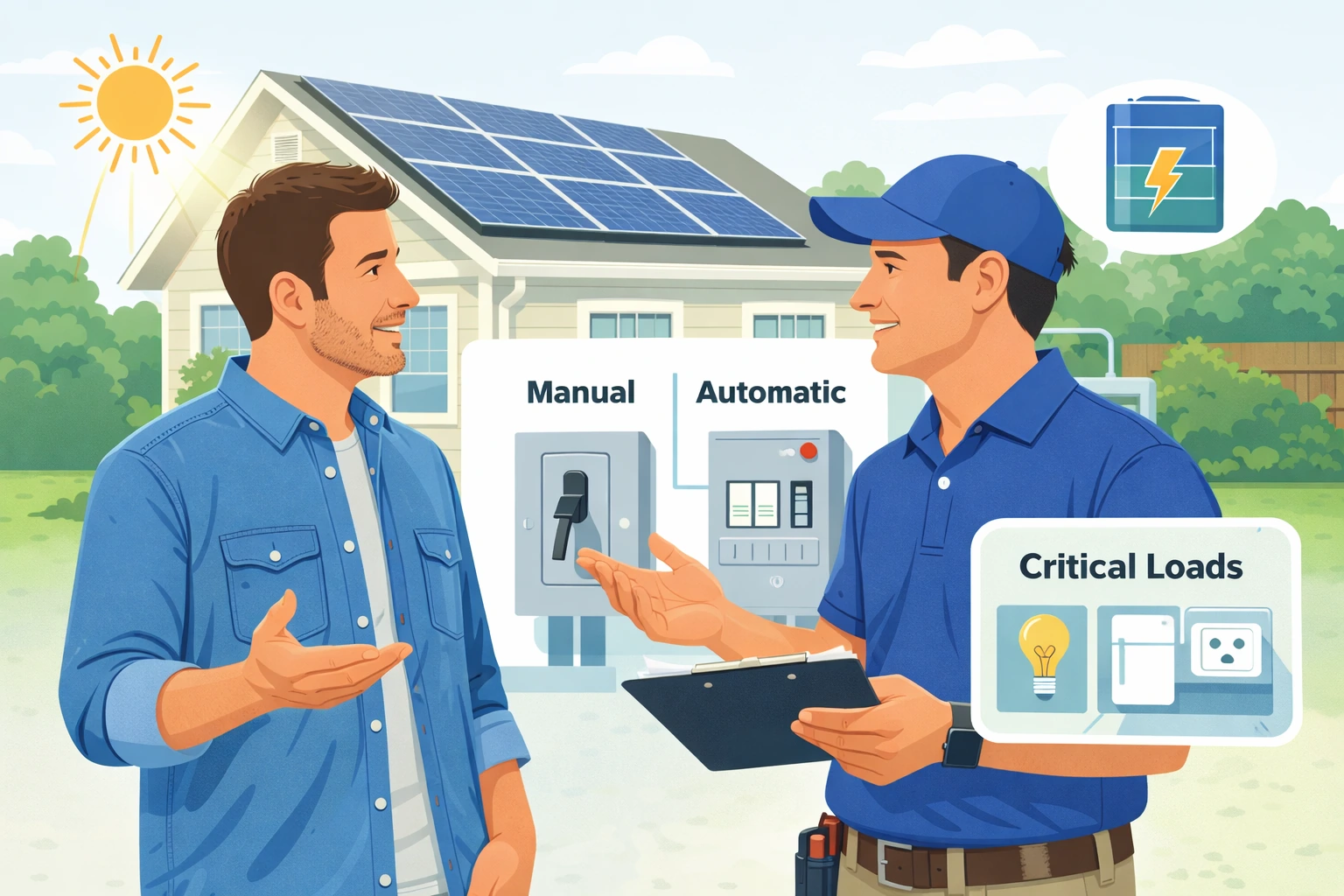
Manual vs automatic transfer switch
This is where many homeowners get confused. “Transfer switch” does not always mean the same user experience.
Manual transfer switch
A manual transfer switch requires human action. In practice, that means when the outage happens, someone must operate the switching mechanism according to the installer’s design and instructions.
Pros:
- Can be simpler in some designs
- May reduce equipment cost in certain projects
- Can work for homeowners comfortable with a manual backup process
Cons:
- No automatic changeover
- Less convenient during nighttime or unexpected outages
- Greater chance of homeowner confusion during a stressful event
Automatic transfer switch
An automatic transfer switch (ATS) changes over without you manually operating a switch when outage conditions are detected and the system is configured for automatic backup.
Pros:
- Faster, simpler homeowner experience
- Useful when continuity matters more
- Often preferred for battery-backed essential loads
Cons:
- Can add cost and system complexity
- May require specific compatible hardware
- Does not mean “everything in the house runs”
Which one is more common with modern solar batteries?
Many modern home battery systems are marketed around automatic backup behavior, but the exact design depends on the inverter, battery platform, backup interface, and panel layout. Some systems use inverter-integrated switching or a manufacturer backup interface rather than a simple standalone switch that homeowners picture.
That is why a better question for the installer is not just “Is it manual or automatic?” but:
- What hardware performs the transfer/isolation function?
- Will backup engage automatically?
- Which circuits are actually backed up?
- What happens if the battery is empty when the outage begins?
Transfer switch vs critical loads panel vs backup interface
These terms are related, but they are not interchangeable.
Transfer switch
The switching/isolation function that helps move loads between utility and backup sources safely.
Critical loads panel
A smaller subpanel that contains only the circuits you want powered during an outage. This is often the most practical way to keep battery backup affordable.
Backup interface
Some battery/inverter manufacturers use a dedicated backup interface or gateway that coordinates isolation, switching, and communication. In those systems, the homeowner may not see a simple box labeled “transfer switch,” even though the system still includes transfer/islanding functionality.
This distinction matters because homeowners sometimes believe they “do not need a transfer switch” when what they really mean is that the switching function is built into compatible equipment.
Source: Manufacturer backup-interface documentation and NREL backup topology references.
Whole-home backup vs critical-loads backup
One of the most important quote-comparison questions is whether your system is designed for whole-home backup or critical-loads backup.
Critical-loads backup
This is the most common starting point because it keeps cost and battery size more realistic. You back up essentials instead of trying to run every large appliance in the house.
Typical backed-up loads may include:
- Refrigerator
- Internet/Wi-Fi
- Lights
- Device charging
- Select outlets
- Garage door opener
- Medical equipment circuits
Whole-home backup
Whole-home backup aims to energize most or all household loads, but this does not mean every heavy load can run all the time without limit. HVAC, electric water heating, ovens, dryers, EV charging, well pumps, and other motor/resistance loads can quickly push battery and inverter requirements much higher.
For many households, “whole-home backup” is technically possible but economically hard to justify unless outage resilience is a top priority and the system is sized accordingly.
What equipment may be involved in a solar backup setup
Your quote may include some or all of the following:
| Component | What it does | Why it matters |
|---|---|---|
| Battery | Stores usable energy | Determines runtime in kWh |
| Backup-capable inverter | Converts and manages power during normal and outage modes | Determines power delivery behavior and compatibility |
| Transfer switch / backup interface | Isolates from utility and switches loads to backup | Core safety and functionality layer |
| Critical loads panel | Holds selected backed-up circuits | Keeps backup practical and affordable |
| Main panel work | May be needed for interconnection or load arrangement | Can affect total project cost and scope |
Questions to ask your installer before you sign
Copy/paste this into your quote conversation:
- What exact hardware performs the transfer or backup-isolation function in this design?
- Is backup activation automatic or manual?
- Which exact circuits will stay on during an outage?
- Is this a critical-loads setup or whole-home backup setup?
- What loads are excluded from backup, and why?
- If I want HVAC, a well pump, or EV charging backed up later, what would need to change?
- Does the design require a separate critical loads panel?
- What happens if the outage starts when the battery is near empty?
- Can the solar recharge the battery during a daytime outage in this configuration?
- Which permits, utility approvals, and inspections apply to the backup design?
- What manufacturer documents show this backup architecture is approved and compatible?
Red flags and misconceptions
Red flag #1: “You’ll have power in an outage because you have solar.”
That is not true for standard grid-tied solar without backup-capable equipment.
Red flag #2: “Whole-home backup” with no load discussion
If the installer has not discussed HVAC, water heating, EV charging, motors, starting surge, and battery/inverter limits, the phrase may be too loose to trust.
Red flag #3: No one explains what is switched
If you cannot get a simple explanation of how the home is isolated from the grid and what stays powered, keep asking.
Red flag #4: The proposal ignores panel work
Backup systems often interact with panel layout, subpanels, service equipment, and interconnection details. That should be addressed clearly in writing.
Bottom line
A solar transfer switch is not just another accessory. It is part of how a backup-capable system safely changes from normal grid-connected operation to outage operation.
For most homeowners, the winning setup is not the one with the most buzzwords. It is the one that clearly explains:
- how backup starts,
- whether it is manual or automatic,
- which circuits stay on, and
- what hardware handles isolation from the utility.
If you understand those four points, you will be far better prepared to compare solar + battery quotes without risky DIY.
FAQ
1) Do all solar battery systems need a separate transfer switch?
Not always as a visibly separate standalone box. Some systems use integrated transfer/islanding hardware or a manufacturer backup interface that performs similar functions. What matters is how the system safely isolates from the grid and powers selected loads.
2) Can I add a transfer switch to regular grid-tied solar and get backup?
Usually backup requires more than just adding a switch. You typically need backup-capable inverter behavior, compatible controls, and usually a battery-based design reviewed by qualified professionals.
3) Is automatic always better than manual?
Automatic is usually more convenient, but “better” depends on budget, system design, and your outage goals. For many homeowners, the real priority is a clear and reliable backup plan, not just the label.
4) What is the difference between a transfer switch and a critical loads panel?
The transfer-switch function helps isolate and change power sources. A critical loads panel is the panel containing the circuits selected for backup.
5) Will a transfer switch let me run my whole house?
No. Whole-home capability depends on the inverter, battery power, battery capacity, load profile, and system design. The switch itself does not create more backup power.
6) Can solar recharge my battery during a daytime outage?
Sometimes yes, but only if the system is designed and approved for that operating mode. Ask your installer exactly how daytime backup recharge works in your proposed configuration.
7) Is this the same as a generator transfer switch?
The core idea is similar—safely transferring loads between sources—but solar + battery systems may use different equipment architectures, inverter controls, and backup interfaces than a simple generator-only setup.
8) Should I choose whole-home or critical-loads backup?
Most homeowners should start by pricing critical-loads backup first. It is often the best balance of comfort, runtime, and cost.
Next to Read
- Do Solar Panels Work During a Power Outage? Why Grid-Tied Shuts Off + Backup Options (USA)
- How to Size a Solar Battery for Backup Power: Critical Loads, Runtime, and a Simple Planning Method
- Solar Battery kW vs kWh: The Two Numbers That Decide Backup Power
- Solar Battery Depth of Discharge (DoD) Explained
- AC-Coupled vs DC-Coupled Solar Batteries
- Solar AC Disconnect Explained (USA): What It Is, When Utilities Require It, and What to Ask Your Installer